
An offline app can work perfectly after a fresh installation and still lose an existing user's progress during upgrade. The new schema gets tested while older database structures and real migration paths are never exercised.
Build representative old-version fixtures, migrate within the appropriate transaction boundary, and verify business invariants afterward. Deleting and recreating the database is not an acceptable general repair for a user-owned progress database.
Keep schema version separate from app version
An application release may not change the database at all. Another release may require several schema transitions. If you manage versions with PRAGMA user_version, your application owns the meaning and progression of that value; SQLite does not infer the business migration.
Define a path from each supported starting schema to the target. If a framework already manages migrations, follow that mechanism rather than introducing a competing version counter beside it.
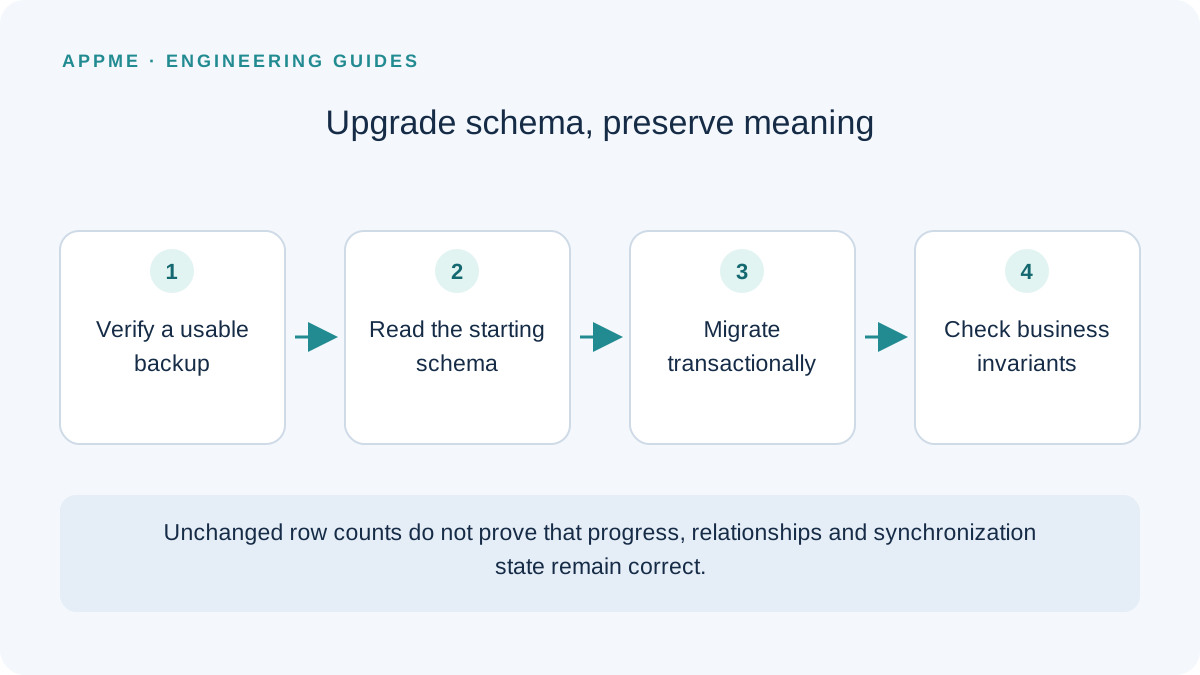
Example: add synchronization state to learning progress
Suppose lesson_progress already contains saved records and the next schema adds sync_state. The following SQL illustrates one migration step. Run it through your project's migration manager so the step is not accidentally applied twice.
BEGIN IMMEDIATE;

ALTER TABLE lesson_progress
ADD COLUMN sync_state TEXT NOT NULL DEFAULT 'pending';

PRAGMA user_version = 2;

COMMIT;
Here, pending is an illustrative default, not a universal choice. Existing records might already be synchronized. Decide their correct initial meaning from the backend contract and available data before adopting a default.
Do not manually commit inside a framework-managed transaction if its API does not permit that pattern. This example demonstrates a boundary; it does not replace the migration instructions of the library you use.
A successful fresh installation also does not exercise ALTER TABLE against old data. Keep installation and upgrade tests separate so one green result cannot conceal a missing migration.
Check meaning as well as row counts
Identical row counts are useful but insufficient evidence. Identifiers may change, relationships can break, or a new default can make every completed lesson appear incomplete.
| Invariant | Example check | Failure it can reveal |
|---|---|---|
| Stable identity | Compare identifiers before and after | Unintended recreation of records |
| Correct relationships | Progress still belongs to the same lesson | Incorrect references after copying tables |
| Business state preserved | Completed lessons remain completed | A default that changes saved meaning |
| Empty values handled | Test null and valid empty strings separately | Inappropriate coercion during conversion |
| Controlled re-execution | The manager recognizes the completed version | Repeated ALTER or copy operations |
Include an old populated database, an empty but valid database, and records with representative relationships. Use synthetic fixtures rather than making production user information a routine test dependency.
For a learning product, save the expected completed lessons, selected course and pending synchronization tasks before migration. Check those values through the application's normal queries afterward, not only through a direct count of database rows.
Back up an active database appropriately
SQLite provides backup mechanisms for copying an active database. With WAL mode, casually copying only the main database file may not capture the latest complete state. Choose an appropriate backup method and verify that the resulting copy can be opened and restored.
Do not upload a user's database to a public debugging service. If real records are necessary for a specific investigation, establish suitable access and minimize unnecessary information. Representative synthetic fixtures are a better default for repeatable upgrade checks.
A backup is also an operational artifact with a lifecycle. Record which application and schema it represents, where it is retained and who can access it. An unlabeled file is difficult to trust during a recovery incident.
Define failure and rollback behavior before release
Test interruption during conversion, insufficient storage and records that violate a newly introduced condition. After failure, distinguish a retryable operation from an unsupported or inconsistent state. Do not automatically erase the database to get past an error screen.
Rolling back the application binary introduces another compatibility question: the earlier build may not understand the new schema. Your rollback plan needs verified data compatibility or a deliberate recovery method, not just an older executable.
Queued work deserves the same protection as visible progress. The Android outbox guide explains why unsent operation identities must survive upgrades too. Connect these checks to your release-readiness process.
Frequently asked questions
Can I skip older steps and create only the latest schema?
That handles a new database. Existing installations on supported versions still need a defined migration path to the target schema.
Does integrity_check prove the migration preserved user progress?
No. Structural checks do not establish business correctness. Verify relationships, identifiers, completion state and other promises the application makes to its users.
Primary sources
Check these original references again before making a release or policy decision.