

A passkey implementation is incomplete if it only covers successful sign-in on the original phone. People replace devices, remove credentials and change credential providers. Without a recovery path, a convenient sign-in method can become an account lockout.
Treat a passkey as a credential associated with an account, keep it separate from the application session, and design credential management and recovery before launch. The scenarios below are illustrative product designs, not reported customer results.
Separate the account, credential and session
The account is the business identity held by your service. A passkey is a way to prove access to that account. A session is what the application uses after the server accepts authentication.
Deleting a local session token does not automatically remove a registered passkey. Losing access to one passkey does not necessarily delete the account. Give these actions distinct names in settings rather than presenting a single ambiguous reset button.
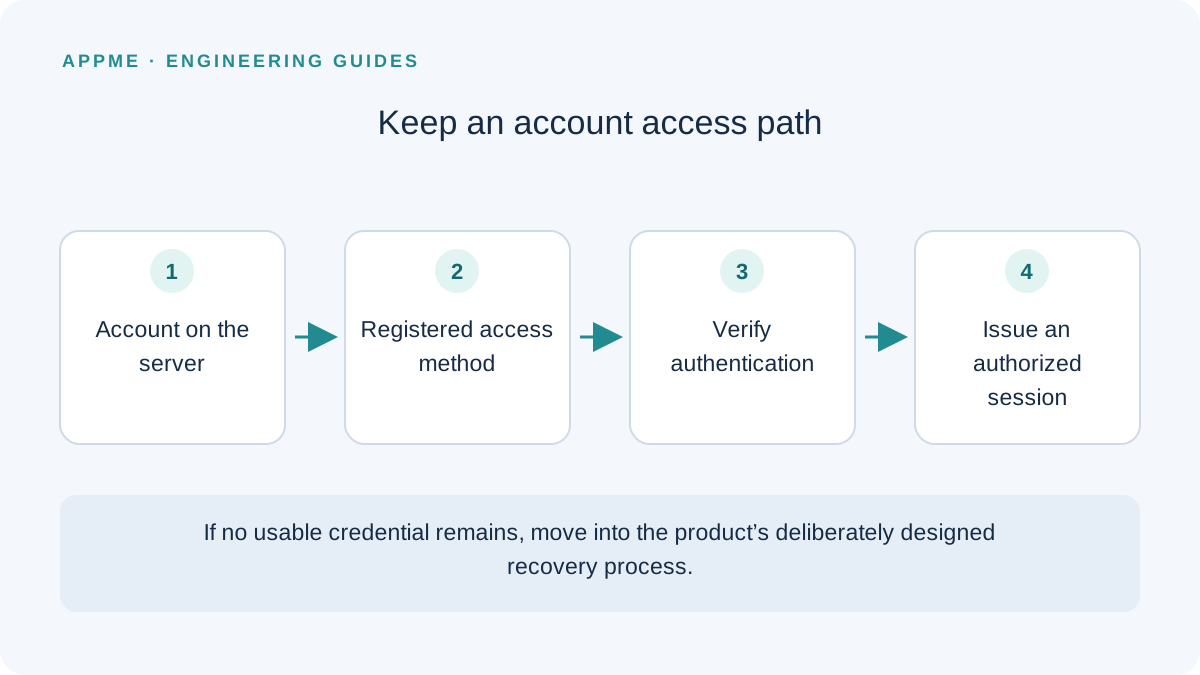
Android offers Credential Manager for credential experiences. Its passkey documentation describes a public-key approach with server-side verification. A successful-looking client screen is not sufficient evidence for issuing a session.
Design the new-phone journey explicitly
Imagine a notes application where someone registered a passkey on device A. On device B, a suitable credential may be available through their provider, or they may need another established sign-in method. Do not promise that every credential automatically appears on every device.
Start with the normal supported credential flow. When no suitable credential is available, offer a previously registered alternative or a clearly explained recovery process. Do not silently create a second account because an entered email uses a different spelling or casing.
| Situation | Interface behavior | Server responsibility |
|---|---|---|
| Suitable credential available | Continue authentication | Validate the challenge and account relationship |
| Person cancels the dialog | Remain at sign-in | Do not create a session |
| No suitable credential | Explain available alternatives | Check that the alternative is actually registered |
| All credentials unavailable | Start account recovery | Apply the product's identity and risk policy |
Keep cancellation distinct from an authentication failure. A person dismissing a dialog may simply want to use another route, and repeated failure messaging can make a recoverable experience confusing.
Do not make recovery the weakest sign-in method
A recovery process based on easily guessed details can undermine the protection of the normal authentication flow. Establish evidence requirements appropriate to the account's capabilities and data. Limit repeated attempts and avoid revealing more account information than the interface needs.
An ordinary support inbox should not ask people to send private keys or account secrets. If your product needs a specialized identity-checking process, design and document that process separately rather than improvising it in a support conversation.
After recovery, allow the account owner to review registered access methods. Decide when recovery revokes earlier sessions and how to handle credentials the owner no longer recognizes. Updating a token on the new phone alone does not answer those questions.
For a hypothetical low-risk notes product, the decision record might identify a previously verified recovery channel, the evidence required before credential replacement, and a notification sent after the change. Another product may need a different process; this example is not a universal recovery recipe.
Make credential management understandable
A readable label, date added and removal action are usually more useful than exposing raw credential identifiers. Before removing the final usable method, explain the consequence and establish an appropriate alternative.
Sensitive changes may require fresh authentication. Distinguish that from silently extending a session. Include loading, cancellation and network-failure states so people do not repeat an action whose result is still unknown.
Also define what happens to pending recovery requests when an account is locked or scheduled for deletion. Recovery should not accidentally recreate a deleted account or bypass an existing account restriction.
Verify the complete lifecycle
- Register a passkey with and without another existing access method.
- Sign in on a new device using the providers you actually support.
- Cancel the system dialog, expire the challenge and interrupt the network.
- Remove a credential and inspect the remaining credentials and sessions.
- Attempt recovery while the account is locked or a deletion request is pending.
Measure completion with the smallest useful telemetry. Avoid logging assertions, credentials or session tokens just to learn where people stopped. The privacy-first analytics guide explains how to connect measurements to decisions.
Frequently asked questions
Can passkeys eliminate every recovery method?
Only make that decision after defining how an account owner regains access when no usable credential remains. Product requirements and supported providers matter; there is no universal fallback configuration.
Should the backend store the passkey's private key?
No. The credential system manages the private key. Your backend handles the appropriate registration and verification information; do not build an additional private-key vault for client passkeys.
Primary sources
Check these original references again before making a release or policy decision.